
Sugo lite: Live Voice Chat
IndiaMasterAppSocial
3.479.00 Reviews
- Version
- 2.22.0.1
- Installs
- 10.00M
- Age Rating
- Mature 17+
Screenshots
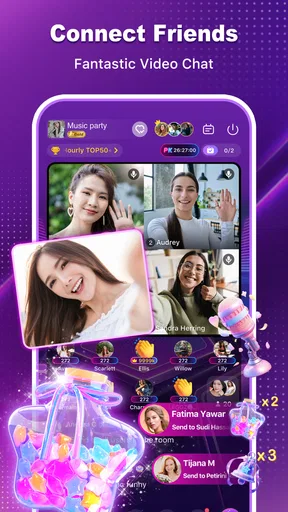
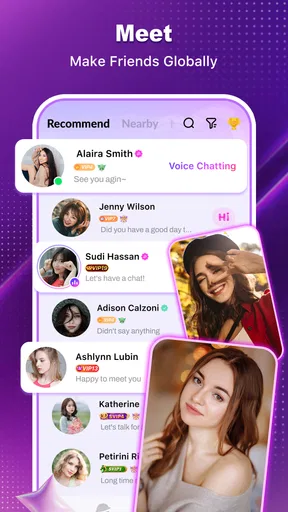
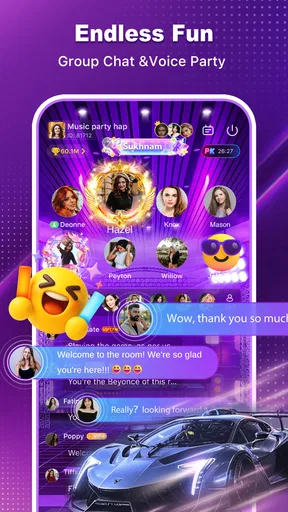
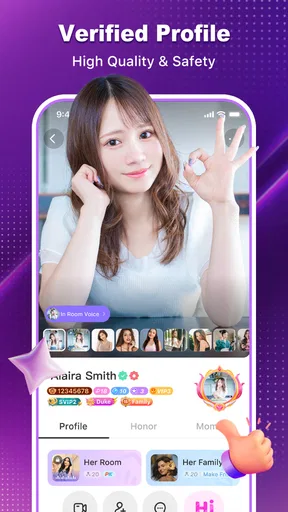

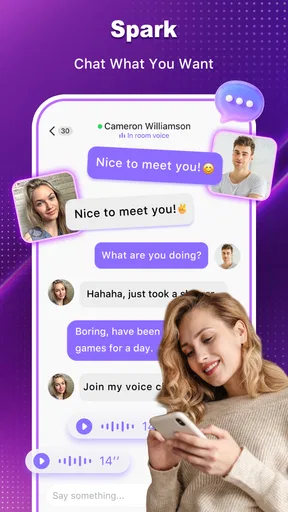
Our Review of Sugo lite: Live Voice Chat
 Analysis by Appyee
I approached Sugo lite: Live Voice Chat as a social app for people who prefer talking to typing. Its main idea is simple: join a voice room to chat with several people, or move into a one-to-one voice or video call when a more private conversation makes sense. That gives it a different feel from a conventional text-first messenger, but it also means your enjoyment depends heavily on how comfortable you are meeting people through live conversation.
In my experience, the most important question is not whether it has many social tools. It is whether you want a lightweight place for spontaneous conversation rather than a carefully organized network of existing contacts. The app is free to install, although it includes optional purchases ranging from $0.49 to $99.99 per item. I would treat it as a casual social space first, not as a replacement for every messaging service on your phone.
How I would decide whether Sugo lite fits
I would judge the fit by whether live conversation feels energizing or like another demand on my attention. Before making it a regular habit, I’d try one brief session at a time of day when I can leave easily, then notice whether I want to return rather than feeling obliged to keep searching. That simple test helps separate genuine enjoyment from the novelty of a new social space.
Start with the kind of conversation you actually want
The strongest reason to try this app is the voice-room format. A room can feel more immediate than a comment thread because people react in real time, and a newcomer can listen before deciding whether to speak. That makes it useful when you want background company, casual discussion, or a quick conversation without arranging a call in advance.
The one-to-one options change the decision slightly. If you mainly want private calls with people you already know, a familiar messenger may be more convenient because your contacts and existing conversations are already there. Sugo lite makes more sense when you are open to discovering conversations inside the app and do not want the experience limited to your address book.
I would also consider your tolerance for live social pressure. Text lets you pause, edit, and ignore a message for a while. Voice does not offer the same distance. Even when you are only listening, the atmosphere can be more demanding than scrolling through a normal social feed. People who enjoy spontaneous interaction will see that as the point; people who prefer control may find it tiring.
What the current app profile tells me
This is a social app from IndiaMasterApp, rated for mature users aged 17 and above. It was released on May 18, 2023, and the current version is 2.22.0.1. It runs on Android 6.0 or later, so the minimum system requirement is fairly approachable for people using older Android phones.
The app has passed the ten-million-install mark, which suggests that it has reached a substantial audience rather than being a tiny experiment. Its average rating is 3.4 from roughly twenty-two thousand ratings. I read that combination as a reason to try it with realistic expectations: there is clearly interest, but the experience may not be equally smooth or appealing for everyone.
The age label matters here. Live social spaces can bring unpredictable conversations, and I would not treat the mature rating as a suggestion for younger users to ignore. Adults should still use personal judgement about what they share, who they move into private calls with, and whether a conversation feels respectful enough to continue.
The first-session workflow I recommend
If I were introducing a friend to the app, I would suggest starting as a listener rather than immediately making a private call. Spend a little time understanding the rhythm of the rooms: whether people take turns, whether conversations are relaxed or fast-moving, and whether the room’s subject matches what you want. This small pause can prevent the common mistake of joining a random room and assuming the entire service feels that way.
I would also keep the first session deliberately short. Voice-based social apps can be absorbing because there is always another conversation to enter, but a short trial gives you a clearer answer about fit than leaving the app open for hours. Notice whether you leave feeling connected or simply overstimulated. That personal reaction is more useful than judging the app only by its number of downloads.
For private calls, I would avoid sharing sensitive details during an early conversation. A voice or video call can create a feeling of familiarity very quickly, even when you know little about the other person. Keeping the first few exchanges general is a practical way to enjoy the social side without giving away information you may later regret sharing.
Where it wins over text-first social apps
The clear advantage is immediacy. A voice room can turn a passive browsing moment into an actual exchange, and tone often communicates things that text leaves ambiguous. If you are bored during a commute, relaxing at home, or looking for a low-effort way to hear other people talk, this format can feel more alive than reading isolated posts.
It also offers a useful middle ground between public and private interaction. You can begin in a room where the conversation is shared, then choose a one-to-one voice or video call if you find someone you genuinely want to speak with more directly. That progression is more natural for some users than sending a cold private message immediately.
Another strength is that the app does not require you to turn every interaction into a long-term connection. Sometimes I want a brief conversation, not a new contact to manage forever. A room-based service can suit that mood better than a traditional messenger built around persistent chats and contact lists.
Three practical ways to get more from it
First, use rooms as a screening step. Instead of moving quickly from a public conversation to a private call, listen for how someone treats other participants. Patience, interruptions, and tone are easier to notice in a shared setting. This is a more useful trust signal than a polished profile or a friendly opening message.
Second, match the communication mode to the subject. Voice is convenient for casual conversation, while video adds a stronger sense of presence but also requires more attention to your surroundings and appearance. I would begin with voice when the goal is simply to see whether conversation flows, and use video only when both people are comfortable with the extra exposure.
Third, treat in-app purchases as optional rather than part of the basic decision. Because the purchase range stretches from a small amount to a much larger one, I would avoid spending during the first sessions. Use the free experience to decide whether the rooms and calls are genuinely useful to you. If the social format does not fit, purchases will not solve that underlying problem.
Where another category may be better
A standard messaging app is the better choice when your priority is dependable communication with family, coworkers, or close friends. Those services usually begin with people you already know, while Sugo lite is oriented toward live social discovery. Choosing the former avoids the uncertainty that comes with entering conversations among strangers.
A large social network may suit you more if you want profiles, posts, photos, and conversations that remain easy to revisit. Sugo lite is more focused on the moment of talking. That focus can be refreshing, but it may feel limited if you want a broad personal archive or a public identity built around written content.
Dedicated video-meeting tools are a better fit for planned group discussions, appointments, classes, or work calls. I would not choose this app for situations where everyone needs a predictable schedule, formal controls, or a clearly defined meeting purpose. Its appeal is spontaneity, not structured coordination.
Audio community platforms may also be preferable for users who want deeper topic-based discussion. Sugo lite can work for casual conversation, but someone seeking a carefully moderated specialist community should compare the room culture before committing. The right alternative depends less on whether it supports voice and more on whether its conversations are organized around the subjects and people you care about.
Everyday scenario: a quick conversation without planning
Imagine finishing dinner with half an hour free and wanting company, but none of your friends are available for a call. With a conventional messenger, you might send a message and wait. In Sugo lite, I would enter a voice room, listen for a few minutes, and decide whether the atmosphere suits me. If it does, I can participate without preparing a topic or arranging a time in advance.
That same scenario also shows the limitation. If the room is noisy, the conversation feels uncomfortable, or the participants are discussing something irrelevant, the app has not solved the problem automatically. You need to leave and try another room, and repeated searching can make the experience feel less relaxing than expected. The app gives you access to live interaction, but you still have to curate your own experience.
Privacy, boundaries, and social comfort
My biggest practical caution is the speed at which public conversation can become personal. A friendly voice can create trust faster than a written exchange, and video can reveal more about you than you intended. I would keep identifying details private, avoid moving to a private call simply because someone is persistent, and end a conversation as soon as it stops feeling comfortable.
It is also worth deciding in advance how much visibility you want. If you are using the app in a shared home, workplace, or public setting, voice and video can expose more of your surroundings than a text message would. Headphones can make listening easier, but they do not remove the need to check what your camera might show before starting a video call.
The mature rating should shape expectations rather than create fear. Adults can enjoy open social conversation, but the same openness means you may encounter personalities and subjects that do not suit you. My advice is to use the room format as a filter, keep control of private contact, and remember that leaving is always a valid response to an unpleasant interaction.
What the free model means for switching
Because installation is free, the financial cost of trying Sugo lite is low. The more meaningful cost is attention: learning the room culture, deciding which conversations are worth joining, and working out whether live social discovery belongs in your routine. That makes it relatively easy to test, but not necessarily effortless to adopt.
The optional purchase structure is where I would be careful. A small purchase may feel harmless, while the upper end of the range is substantial enough to justify a pause. I would set a personal limit before exploring any paid elements and never spend to chase a better social experience. If the free interactions are not enjoyable, paying is unlikely to change the basic match between you and the app.
Switching from a text-first messenger also changes your habits. You may need to be available at the right moment, listen more actively, and accept that conversations can end without producing a lasting connection. For some people, that is liberating. For others, it is a poor trade compared with asynchronous messages that can be answered whenever convenient.
Performance expectations and device choice
The Android requirement of version 6.0 or newer makes the app accessible to a wide range of devices. Still, voice and video communication are more sensitive to the overall condition of a phone and connection than ordinary text chat. If your device struggles with live media or your environment is noisy, the experience may feel less comfortable even when the app itself is easy to open.
I would test it under the conditions where I genuinely plan to use it, not only while sitting beside a strong home connection. Try listening in a quiet room, then consider whether you would still enjoy the app in a busier setting. This matters because the central feature is live conversation; small distractions that are harmless in text can become very noticeable when you are speaking or listening.
My recommendation for different users
I recommend giving Sugo lite a fair trial if you enjoy meeting people through voice, like spontaneous rooms, and want the option of shifting into one-to-one voice or video calls. It is especially appealing when you want a social activity that feels more immediate than scrolling and less formal than scheduling a meeting.
I would skip it if your main goal is private communication with an established circle, if you dislike unpredictable conversations, or if you want a highly organized community built around specific interests. In those cases, a familiar messenger, a topic-focused community, or a structured calling tool is likely to be a better fit.
My final view is cautiously positive. Sugo lite works best as a low-commitment doorway into live social conversation, not as an all-purpose communication replacement. The free entry makes testing sensible, and the combination of rooms with private calls gives the experience a useful progression. Just keep your boundaries firm, postpone purchases until you understand the app, and judge it by the quality of conversations you actually find rather than by its large audience alone.
Verdict
Strengths of Sugo lite: Live Voice Chat
- Low-data design works well on slower mobile connections.
- Quick voice matching makes it easy to meet new people.
- Lightweight app uses less storage than many social platforms.
- Supports casual conversations without requiring long profiles.
- Simple interface is easy for first-time users to navigate.
Limitations of Sugo lite: Live Voice Chat
- Voice chat quality can vary noticeably between different users.
- Some conversations may feel repetitive or lack meaningful interaction.
- Privacy settings should be reviewed carefully before chatting.
- The smaller Lite version may offer fewer features than the main app.
- In-app purchases or premium features may limit some interactions.
Other Releases by IndiaMasterApp
View All
SUGO:Voice Chat Party
Social3.2

SoMatch- Online Chat & Party
Social4.1
Similar Picks in This Category
View All
Meta Platforms, Inc.4.6

Instagram4.0

Likee-Live, Chat & Party Games
Likeme Pte. Ltd.4.4

Facebook Lite
Meta Platforms, Inc.4.5

TikTok - Videos, Shop & LIVE
TikTok Pte. Ltd.4.0

Moj: Free Short Drama & Reels
ShareChat4.1
Frequently Asked Questions
What is SUGO Lite: Live Voice Chat, and how does it work?
SUGO Lite: Live Voice Chat is a social communication app focused on meeting people through live voice conversations, chat rooms, and direct messaging. After creating a profile, you can browse available users or rooms, join conversations, and interact in real time. The Lite version is generally designed to use fewer device resources, which may make it more suitable for phones with limited storage or slower connections.
Is SUGO Lite: Live Voice Chat free to download and use?
The app can usually be downloaded for free, but some features may require in-app purchases, virtual coins, subscriptions, or other paid items. Basic access to profiles, chats, or voice rooms may be available without payment, while gifts, premium interactions, visibility boosts, or exclusive rooms can cost money. Before spending anything, check the current pricing, renewal terms, and payment settings in the app store.
Is SUGO Lite safe for meeting and talking to strangers online?
SUGO Lite includes the usual risks associated with public social and voice-chat platforms because you may interact with people you do not know. Avoid sharing your full name, address, phone number, passwords, financial details, or private photographs. Use blocking and reporting tools when necessary, review privacy settings, and remember that profiles may not always represent a person accurately. Younger users should follow the applicable age requirements and parental guidance.
Does SUGO Lite require a strong internet connection or a powerful phone?
The Lite edition is intended to be less demanding than a standard version, so it may run more comfortably on devices with limited storage, memory, or processing power. However, live voice conversations still depend on a stable internet connection. Wi-Fi or reliable mobile data will normally provide a better experience, while weak connectivity can cause delays, audio interruptions, slow loading, or unexpected disconnections during rooms and calls.
What permissions and personal information does SUGO Lite request?
Depending on the features you use, SUGO Lite may request access to information such as your profile details, microphone, notifications, photos, contacts, or device-related data. Microphone access is especially relevant for voice rooms and live conversations. Review the permission prompts carefully and allow only what you are comfortable sharing. It is also worthwhile to read the app’s current privacy policy, because data practices and permissions can change with updates.
